Keycloak - Proxy eSanté - PSC
Ce document décrit l’intégration de keycloak avec le Proxy eSanté de la DevBox Santé.
Principes
Le proxy doit être maître de l’authentification avec PSC et doit conserver les tokens PSC et les tokens pour dialoguer avec les services de l’Espace De Confiance (EDC)
Le proxy en tant que Identity Broker
@startuml
!theme aws-orange
!define DEVBOX_COLOR #278ef5
!define DMP_COLOR #35D9C0
!define MSS_COLOR #DE5D80
!define INS_COLOR #07A2CF
!define CPS_COLOR #D34A3C
!define VITALE_COLOR #5FD67A
!define PSC_COLOR #ff7765
!define APCV_COLOR #c6e66d
!define ANNUAIRE_COLOR #7613e0
!define DATA_COLOR #ffa800

rectangle "Application cliente" as AppCli {
rectangle "Front Application"  as Front #E3F2FD
rectangle "Backend Application" as Backend #E1F5FE
}
rectangle "Authentification" as Authentification {
rectangle "Keycloak\n(OIDC Server)" as Keycloak #E8F5E9

rectangle "Proxy eSanté DevBox" as Proxy DEVBOX_COLOR;text:white
' rectangle "Proxy eSanté DevBox Santé\n(Identity Provider)" as Proxy #FFF3E0
rectangle "Pro Santé Connect\n(PSC)" as PSC PSC_COLOR;text:white
rectangle "Carte CPS / eCPS" as CPS #F3E5F5


skinparam nodesep 20
skinparam ranksep 80
skinparam linetype ortho
skinparam noteBackgroundColor transparent
skinparam noteBorderColor transparent
skinparam noteFontColor black

' --- Liaisons principales ---
Front -[#green]-> Keycloak
note left on link
1- Authentification Keycloak
(Redirect navigateur)
end note
Keycloak -[#blue]-> Proxy
note left on link
2 - Délégation d'authentification PSC
(Redirect navigateur)
end note
Proxy -[#blue]-> PSC
note left on link
3 - Délégation d'authentification PSC
(redirect navigateur)
end note
PSC -[#blue]-> CPS : 4 - Authentification CPS/eCPS
CPS -[#blue,dashed]-> PSC
PSC -[#blue,dashed]-> Proxy
note right on link
5 - Renvoie token PSC
end note
Proxy -[#blue,dashed]-> Keycloak
note right on link
6 - Renvoie token eProxy
end note
Keycloak -[#green,dashed]-> Front
note right on link
7 - Renvoie token Keycloak
end note

@enduml
Le proxy est déclaré dans Keycloak en tant que Identity Provider mais délègue ensuite l’authentification à PSC. Il conserve les tokens PSC et renvoi ses propres tokens à Keycloak. Ce dernier génère alors aussi ses propres tokens d’authentification.
Ensuite un appel à l’EDC se déroule comme suit :
@startuml
!theme aws-orange
!define DEVBOX_COLOR #278ef5
!define DMP_COLOR #35D9C0
!define MSS_COLOR #DE5D80
!define INS_COLOR #07A2CF
!define CPS_COLOR #D34A3C
!define VITALE_COLOR #5FD67A
!define PSC_COLOR #ff7765
!define APCV_COLOR #c6e66d
!define ANNUAIRE_COLOR #7613e0
!define DATA_COLOR #ffa800

rectangle "Application cliente" as AppCli {
rectangle "Front Application"  as Front #E3F2FD
rectangle "Backend Application\n (optional)" as Backend #E1F5FE
}

rectangle "Proxy eSanté DevBox (IdP)" as Proxy DEVBOX_COLOR;text:white
rectangle "Pro Santé Connect\n(PSC)" as PSC PSC_COLOR;text:white

rectangle "Service Espace de confiance\n(DMP, INSi, ePresc, ...)" as TrustService #FBE9E7

skinparam nodesep 20
skinparam ranksep 80
skinparam linetype ortho
skinparam noteBackgroundColor transparent
skinparam noteBorderColor transparent
skinparam noteFontColor black

' --- Liaisons principales ---
Front -[#green]-> Backend : 1 - Appel Service EDC\n Bearer Token Keycloak
Backend -[#green]-> Proxy : 2 -  Appel Service EDC\n Bearer Token Keycloak
Proxy -[#green]-> Proxy
note left of Proxy
  3 - Vérification du token
  Vérifie le token Keycloak
  avec sa clé publique
  Récupère la session PSC
end note
Proxy -[#green]-> PSC : 4 - Refresh du token PSC si nécessaire
PSC -[#green,dashed]-> Proxy
Proxy -[#blue]-> TrustService
note right on link
5 - Appel Api EDC avec Token EDC
end note

TrustService -[#blue,dashed]-> Proxy
Proxy -[#blue,dashed]-> Backend
Backend -[#blue,dashed]-> Front


@enduml
- Avantages > S’intègre facilement dans une application utilisant keycloak -> configuration
- Inconvenients
- Synchronisation des tokens / refresh Token / logout
- Le proxy doit accepter le token Keycloak
Le principe de l’Identity Provider est qu’il sert à authentifier l’utilisateur, il n’a pas le besoin ensuite de maintenir les tokens de l’IDP à jour.
Or dans le cas de l’EDC nous avons besoin des tokens PSC à jour pour éviter de devoir réauthentifier l’utilisateur.
Plugin Keycloak - DevBox-Santé eProxy
Afin de remédier à la problématique de l’expiration des tokens PSC, nous avons développé un plugin Keycloak.
Ce plugin a pour but
- Synchroniser les durées de validités des access_token et refresh_token de Keycloak, du eProxy et de PSC.
- Gérer le refresh token Keycloak avec le refresh des autres tokens
- Gérer la déconnexion PSC quand le token Keycloak expire ou que l’utilisateur se déconnecte
- Faciliter l’intégration dans l’Espace de Confiance pour les logiciels utilisant déjà Keycloak
Comment installer ce plugin
Le livrable doit être déposé dans le répertoire providers de Keycloak (/opt/keycloak/providers sous linux)
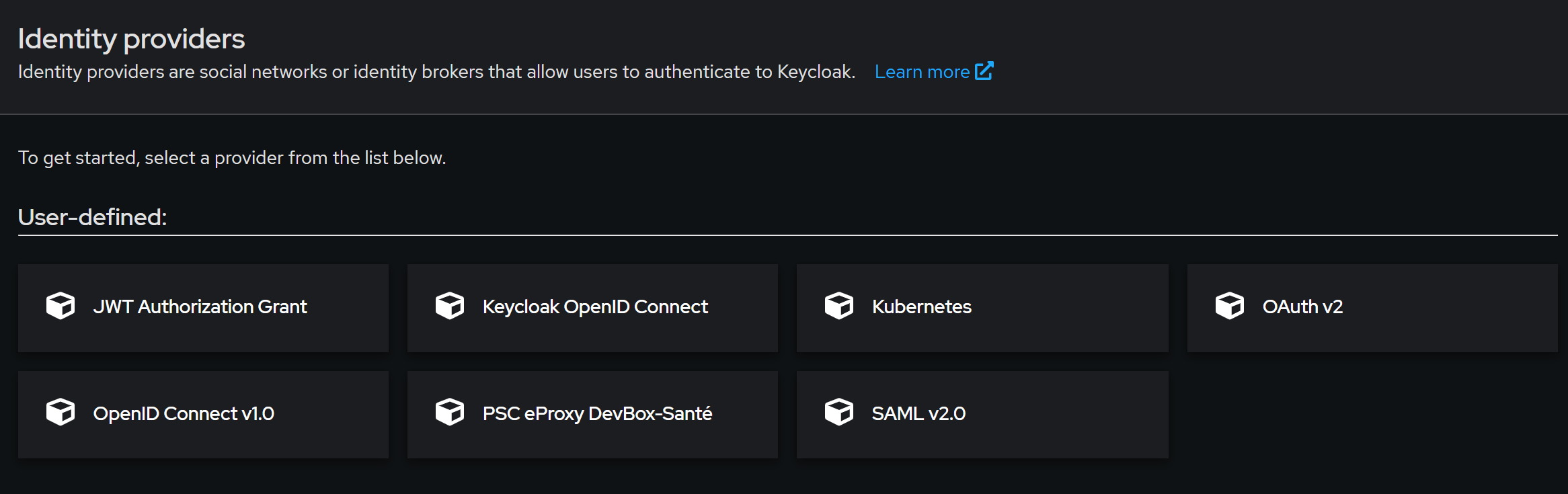
Après redémarrage, dans le menu Identity Provider, sélectionner le plugin PSC eProxy DevBox-Santé
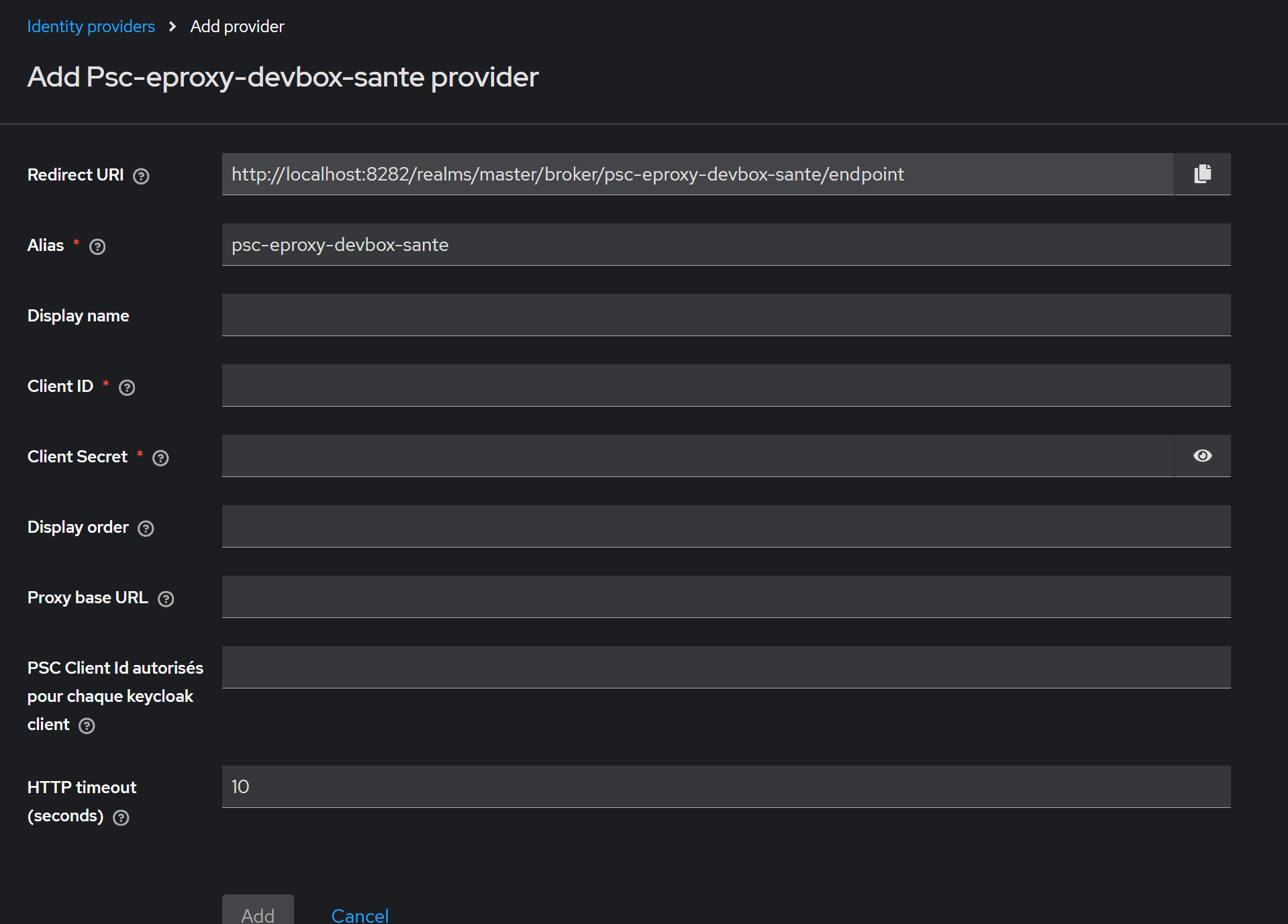
Renseigner uniquement l’url du Proxy (Proxy base URL)
(ClientID et CLient Secret doivent pour le moment avoir une valeur à votre convenance, nous travaillons à rendre ces champs facultatifs)
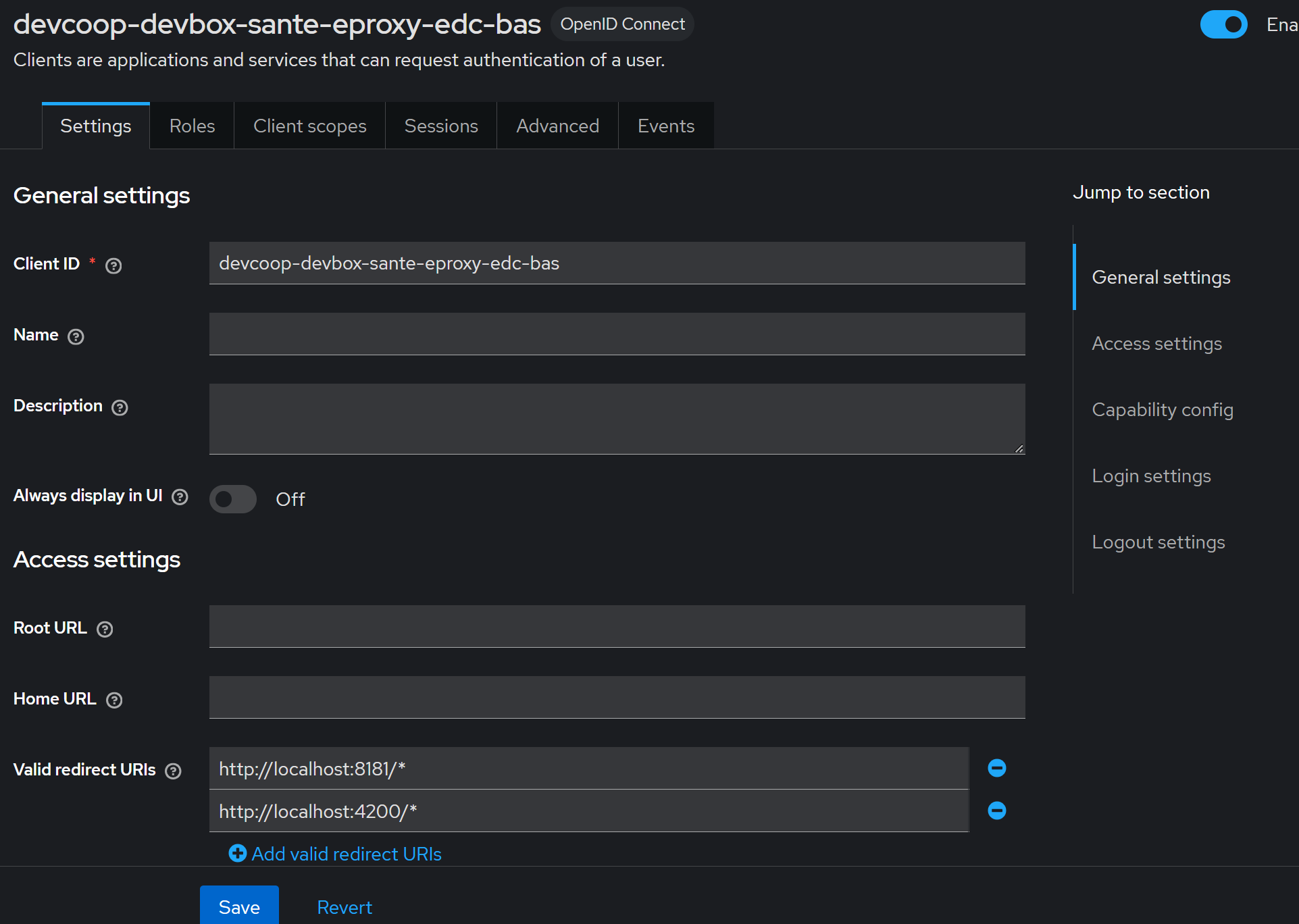
Créer votre client Keycloak comme habituellement.
Le Client ID est le client ID de Keycloak, ne pas le confondre avec celui de PSC. Cependant si lors de l’authentification vous ne précisez pas le paramètre psc.client_id dans les paramètres, c’est ce client ID qui sera utiliser pour PSC.
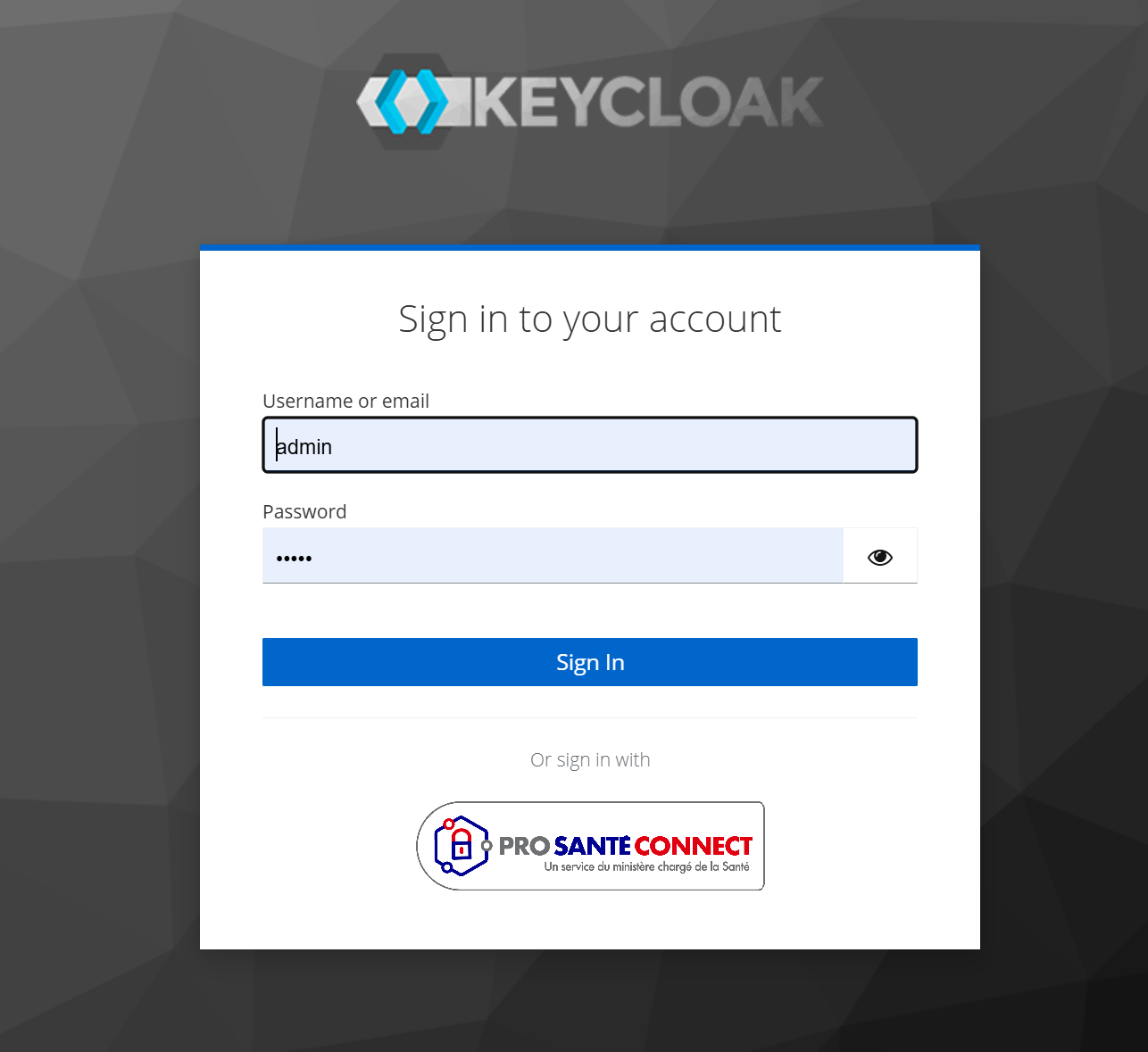
Si vous souhaitez avoir un bouton “Pro Santé Connect”, sélectionnez le thème PSC fourni dans le plugin dans Realm settings->Thèmes->Login thème.
Cas particulier MsSanté
La MsSanté n’est pas intégrée dans l’espace de confiance PSC, mais elle permet l’authentification via PSC. Or les tokens PSC ne sont pas connus du front et ne le doivent pas.
Afin de remedier à cela, le proxy expose un endpoint pour échanger son token Keycloak avec un token PSC:
@startuml
!theme aws-orange
!define DEVBOX_COLOR #278ef5
!define DMP_COLOR #35D9C0
!define MSS_COLOR #DE5D80
!define INS_COLOR #07A2CF
!define CPS_COLOR #D34A3C
!define VITALE_COLOR #5FD67A
!define PSC_COLOR #ff7765
!define APCV_COLOR #c6e66d
!define ANNUAIRE_COLOR #7613e0
!define DATA_COLOR #ffa800

rectangle "Application cliente" as AppCli {
rectangle "Front Application"  as Front #E3F2FD
rectangle "Backend Application" as Backend #E1F5FE
}

rectangle "Proxy eSanté DevBox (IdP)" as Proxy DEVBOX_COLOR;text:white
rectangle "Pro Santé Connect\n(PSC)" as PSC PSC_COLOR;text:white

rectangle "Opérateur MSSanté" as MSS MSS_COLOR;text:white

skinparam nodesep 20
skinparam ranksep 80
skinparam linetype ortho
skinparam noteBackgroundColor transparent
skinparam noteBorderColor transparent
skinparam noteFontColor black

' --- Liaisons principales ---
Front -[#green]-> Backend : 1 - Appel Service EDC\n Bearer Token Keycloak
Backend -[#green]-> Proxy : 2 -  Appel Service EDC\n Bearer Token Keycloak
Proxy -[#green]-> Proxy
note right of Proxy
  3 - Vérification du token
  Vérifie le token Keycloak
  avec sa clé publique
  Récupère la session PSC
end note
Proxy -[#green]-> PSC : 4 - Refresh du token PSC si nécessaire
PSC -[#green,dashed]-> Proxy
Proxy -[#blue,dashed]-> Backend : 5 - Renvoi token PSC
Backend -[#blue]-> MSS
note right on link
6 - Appel MsSanté avec Token PSC
end note


@enduml